


Dosecast - Pill Reminder App
3.52.05K Reviews
App Specs
- Version
- 6.0.12
- Updated On
- License
- Free
- Downloads
- 100,000+
- Developer
- Montuno Software, LLC
- Categories
- Medical
- Platform
- Android
Screenshots
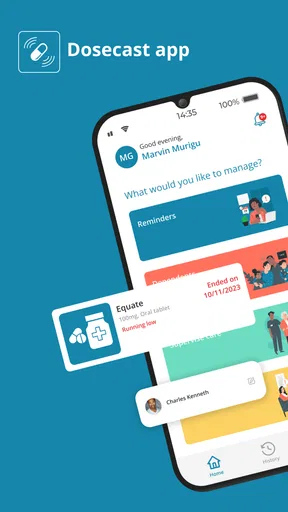
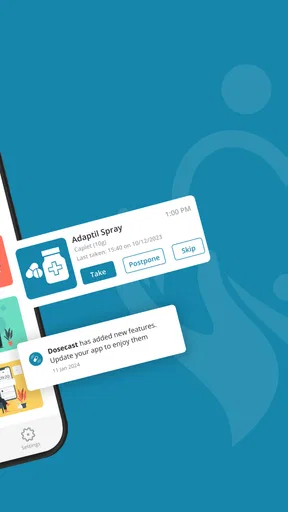
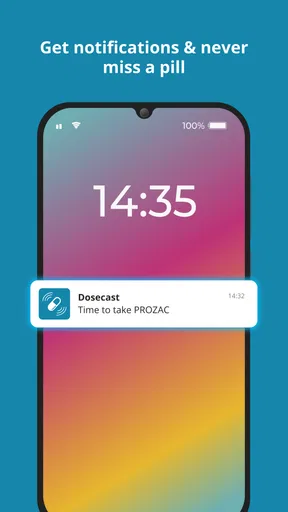
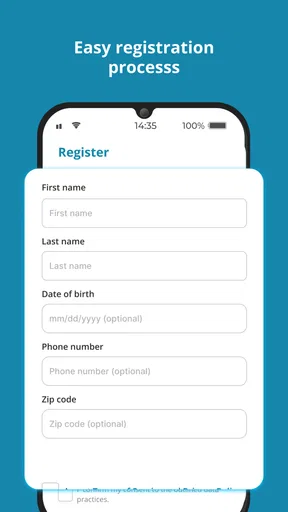
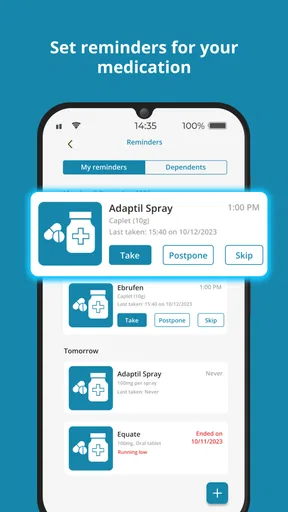
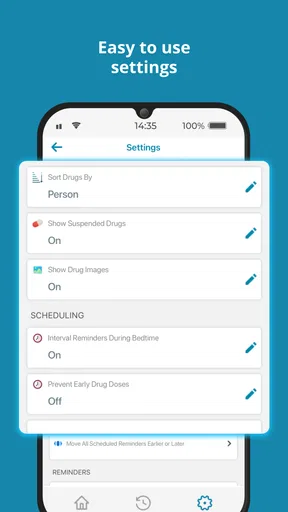
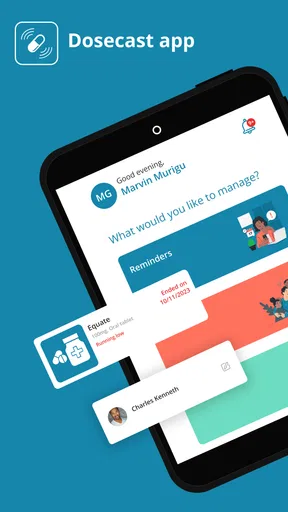
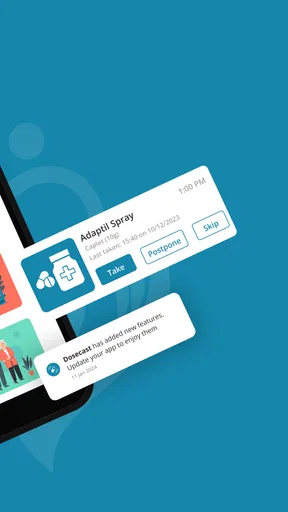
 Analysis by AppCompare
When several medicines follow different routines, the hard part is often remembering which reminder belongs to which dose. I find the most useful idea behind Dosecast is its flexible schedule: rather than treating every pill as a once-a-day task, it lets you set a rhythm for each medication and keep the reminders in one place. That can make a busy routine feel less like guesswork, provided you take a few minutes to enter the details carefully.
Why flexible schedules matter
A medication routine may involve one tablet every day, another on certain days, and a dose that comes around more often. A single repeating alarm can quickly become confusing in that situation. Dosecast is built for tracking medication schedules, so its value is less about sounding an alert and more about helping you distinguish one planned dose from another.
That distinction matters when your day changes. If you are away from home, focused on work, or simply moving between errands, having medication reminders grouped in an app can be easier than relying on memory or a collection of unrelated phone alarms. I would still treat the schedule you enter as something to check carefully against your prescription instructions; a reminder app can organize a plan, but it cannot decide what that plan should be.
Putting a routine into the app
The practical starting point is to add each medication and set its own schedule. I like this approach because it encourages you to think about the routine one medicine at a time instead of setting a vague reminder called “pills.” Use names that will make sense at a glance, especially if two medicines are taken at different times. A clear label can save a moment of hesitation when an alert appears.
It is also worth entering the timing when you are not in a rush. Before relying on a reminder, compare the schedule in the app with the instructions you already follow, including which days it applies to. If a prescription changes, update the app rather than assuming an old alert will somehow adapt. That small check is particularly useful for people whose routines include more than one schedule.
When life interrupts a reminder
The option to snooze an alert is a practical detail, not just a convenience. If a reminder arrives while you are driving, in a meeting, or unable to reach your medication, delaying it can be more useful than dismissing it and hoping you remember later. I would use snooze as a short bridge to the dose, not as a way to keep pushing an alert aside until it disappears from mind.
Manual dose logging also has a place when your routine does not unfold exactly as planned. If you take a dose outside the usual reminder moment, recording it manually can help keep your day’s tracking closer to reality. The useful habit is to log it while the event is still fresh; entering several doses from memory later can make any tracker less dependable.
Worth Reading Before You Choose

EA SPORTS FC Mobile 26 Is a Bigger Football Game, but It Takes Time

Flipboard Shows What News Apps Must Do Beyond the Feed

Switching to Android Auto Means Rethinking Your Driving Routine

Google Calendar Makes a Crowded Week Easier to Manage

Ludo King Makes the Most of the Minutes Between Plans

Baby Panda World Brings Quick Play to Modern Phones, but Its Game Library Feels Busy
Getting Started with Ease
Setting up Dosecast is a breeze. I downloaded it from the App Store, and within minutes, I was ready to go. The interface is super intuitive, which is great because who wants to spend hours figuring out how to use an app? You just enter your medications, set the schedule, and you're off to the races.
A User-Friendly Interface
One of the first things I noticed was how clean and straightforward the interface is. There's nothing too flashy, which is perfect for an app that's all about simplicity and efficiency. You can easily add medications, set reminders, and even customize alerts to your liking. It's like having a personal assistant that actually knows what they're doing!
Features That Stand Out
What really impressed me were the features that actually make a difference. For instance, you can set different schedules for each medication, whether it's daily, weekly, or even hourly. Plus, there's an option to log doses manually, which is super handy if you take something unexpectedly.
Another cool feature is the ability to snooze reminders. I mean, how many times have you been in the middle of something and just couldn't take your meds right then? With Dosecast, you can delay a reminder without messing up your entire schedule.
A realistic day with reminders
Imagine leaving home with a full day ahead and a medication due while you are out. Instead of trying to remember whether the alert was for your morning dose or a later one, you can check the reminder and act on the schedule you entered. If the timing catches you at an inconvenient moment, snoozing gives you a prompt to return to it; once you take the dose, manual logging can keep the record aligned with what actually happened.
That workflow is most helpful when your routine is predictable enough to plan but not so simple that one alarm covers everything. For someone who takes a single medicine at the same time every day, a built-in phone alarm may be all they need. Dosecast becomes more worthwhile when there are several medications, differing schedules, or occasional changes in where the person spends the day.
Where it fits among alternatives
Compared with ordinary alarms or a calendar entry, a medication tracker gives the task its own context: the reminder is tied to a medicine and its schedule rather than being one more generic notification. That makes it easier to review a medication routine in one place. The trade-off is that a dedicated tracker needs accurate setup and ongoing attention. If you already maintain a reliable written medication chart or use a health app whose workflow you prefer, switching may add another place to check rather than simplify your day.
I would also separate reminder convenience from medical advice. Dosecast can help you remember and record a plan, but it is not a substitute for confirming a dose, timing, or change with a qualified clinician or pharmacist. When a prescription instruction is unclear, resolve that first and only then make the app reflect the confirmed routine.
Privacy and practical access
Medication names and schedules are personal, so it is sensible to think about who can see your phone and how you want the app protected. The original review noted password protection and secure cloud backup as reassuring options. Those features may suit someone who values access across devices or wants a backup, but they do not remove the need to choose a device passcode and handle health information thoughtfully.
For shared caregiving, a tracker can be useful as an organizing aid, but I would not assume that a reminder automatically tells another person what has happened. Agree on who records a dose and who checks the schedule, particularly if more than one caregiver helps. A clear division of responsibility prevents duplicate assumptions and keeps the app from becoming a source of confusion.
Security and Privacy
In today's world, security is a big deal, and Dosecast takes this seriously. They've got secure cloud backup, so you won't lose your data if you switch devices. Plus, there's password protection to keep your medication info just for your eyes. It's reassuring to know that your personal health information is kept safe.
Customization to Suit Your Needs
If you're like me and love to personalize everything, you'll appreciate the customization options. You can choose different alert tones, so you're not stuck with a standard beep. It's these little touches that make the app feel more personal.
Distinct alert tones can also help when you have several reminders, but I would not make sound the only cue you depend on. Phones can be muted, left in another room, or simply missed when the day gets noisy. A useful routine is to choose a tone you can recognize, then build the habit of checking the medication schedule rather than assuming every alert was heard.
Integration with Other Devices
For those of you who are into tech, Dosecast syncs seamlessly with your smartwatch. Yep, those reminders can pop up right on your wrist! It's perfect for when you're on the go and don't want to pull out your phone every time.
A wrist alert is convenient when your phone is tucked away, though I would still keep the phone-based routine as the foundation. A watch notification is another way to notice a prompt, not a reason to skip checking details if you are unsure what the reminder refers to. This is especially relevant when you have several medicines scheduled close together.
Who is likely to benefit most
Dosecast is a good fit for people who want a dedicated place to organize multiple medication reminders and who are willing to maintain their schedules. It may also suit someone who sometimes takes a dose at an unusual moment and wants to record that rather than rely on later recollection. Its practical strengths are most apparent when a person’s medication routine has enough moving parts that separate alarms become hard to interpret.
I would be more cautious about recommending it to someone who dislikes notifications, rarely checks their phone, or wants a tracker to make decisions about medication for them. It is also not automatically the best choice for a person whose existing care routine already depends on a paper chart or another app that their clinician or family can easily follow. The best tool is the one the person will actually keep current.
Cost, compatibility, and expectations
Dosecast is a free medical app from Montuno Software, LLC, with in-app purchases ranging from $1.99 to $27.99 per item. I would start by deciding whether its basic reminder workflow fits your routine before considering any paid extras; the presence of purchases does not mean you need to buy something to assess whether the app is useful. It is rated for Everyone, has an average rating of 3.5 from around 4,600 ratings, and has passed 100,000 installs, which suggests it has found an audience while leaving room for individual preferences to differ.
The app has been available since March 13, 2012, and its current version is 6.0.12. It requires Android 8.0 or later. Those details matter if you are setting it up on an older phone or deciding whether to install it on a family member’s device. Before moving a medication routine to a new app, make sure the device can run it and that the person who will use it is comfortable entering and checking reminders.
Wrapping It Up
All in all, Dosecast is a solid choice for anyone needing a little help keeping track of their meds. It's user-friendly, offers great features, and provides peace of mind with its security measures. If you're in the market for a reliable pill reminder, this app is definitely worth a try.
So, why not give it a shot? It might just make your daily routine a whole lot easier.
Pros
- User-friendly interface enhances usability.
- Customizable alerts for flexible scheduling.
- Comprehensive medication database included.
- Syncs across multiple devices seamlessly.
- Supports multiple user profiles efficiently.
Cons
- Limited free version features.
- Occasional sync delays reported.
- No integration with some health apps.
- Premium version is relatively costly.
- Requires internet for full functionality.
FAQs for Dosecast - Pill Reminder App
What is Dosecast and how does it work?
Dosecast is a user-friendly medication management app designed to help users keep track of their medications and remind them when to take each dose. It allows users to set up pill schedules, receive alerts, and log doses, ensuring that they never miss a medication. The app supports a variety of medication types and schedules, making it highly customizable.
Is Dosecast free to use, or are there any subscription fees?
Dosecast offers both a free version and a premium subscription option. The free version includes basic features like medication reminders and logging. The premium subscription unlocks advanced features such as cloud backup, device synchronization, and additional customization options. Users can decide based on their needs whether the free version suffices or if an upgrade is worthwhile.
Can I use Dosecast to manage medications for multiple people?
Yes, Dosecast allows users to manage multiple medication schedules, which is particularly useful for families or caregivers. You can set up profiles for each individual, ensuring that you keep track of different medications and schedules separately. This feature helps in organizing and preventing any confusion regarding doses.
How secure is the information I store in Dosecast?
Dosecast prioritizes user privacy and data security by implementing encryption and secure servers to protect your information. For those who choose the premium version, the app offers cloud backup, ensuring your data remains safe even if you switch devices. Always check the app's privacy policy for detailed information on data handling.
Is Dosecast compatible with both Android and iOS devices?
Yes, Dosecast is compatible with both Android and iOS platforms. This cross-platform availability ensures that users can access their medication schedules on any device, making it convenient for those who switch between different operating systems. Additionally, the app supports synchronization across devices for premium users, enhancing accessibility.


